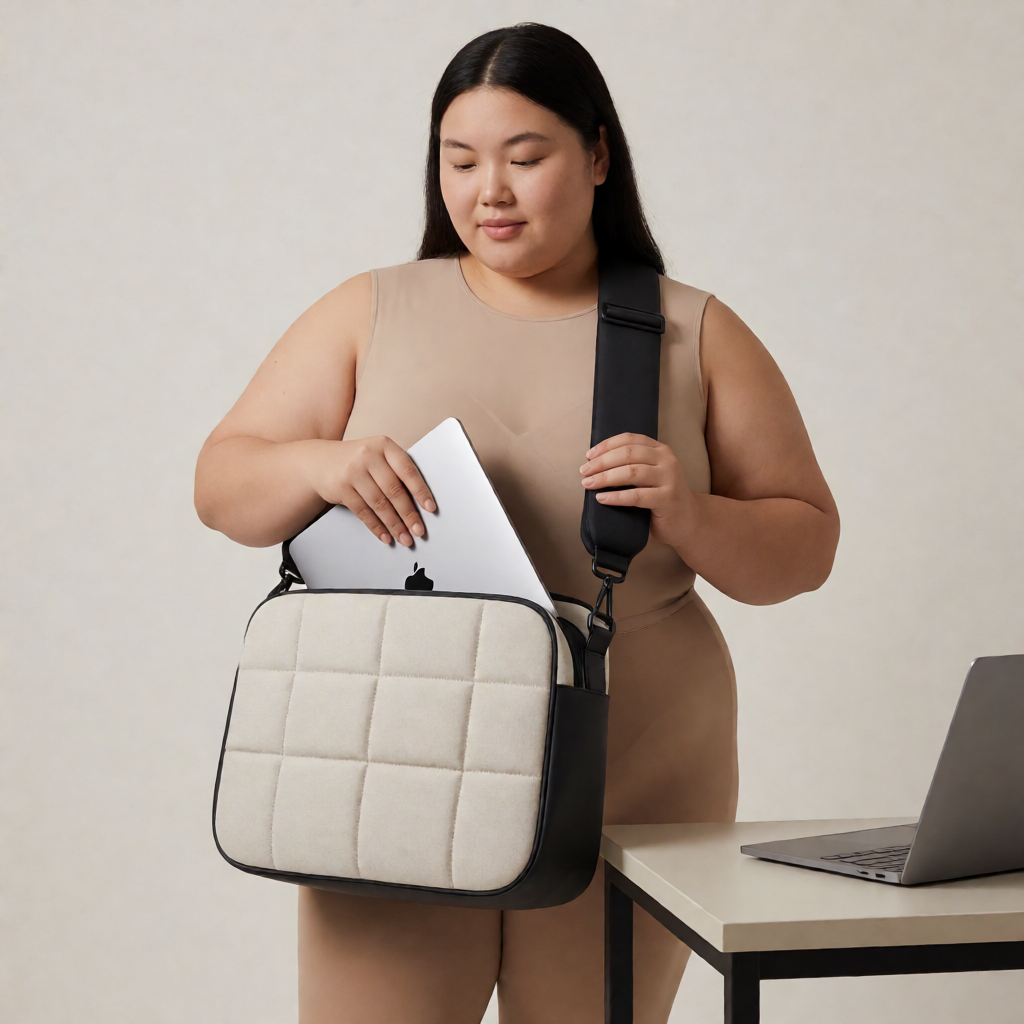
Selecting a laptop bag for a larger body requires evaluating strap dimensions, back panel width, and load distribution geometry. Standard bags distribute weight across narrow channels, causing strap dig-in at the shoulders and uneven spinal loading. A functional bag shifts the load to the hips and matches the torso width without arm restriction.
Strap Width and Attachment Geometry
Strap width dictates pressure distribution. Straps narrower than 1.5 inches concentrate the bag weight into a line that digs into the shoulder trapezius. Measure strap width at the midpoint of the shoulder carry zone. Target a minimum width of 2 inches for loads under 10 pounds, and 2.5 inches for heavier loads. The strap material must resist rolling or bunching, which negates the width advantage.
Attachment point spacing sets shoulder clearance. On a larger frame, straps set too close together pull the bag flat against the back, restricting arm swing and causing chafing under the arms. Measure the distance between the inner edges of the straps at the top attachment. This distance should equal or exceed 14 inches to prevent lateral squeeze. Angled strap attachments that converge slightly toward the bottom of the bag follow the natural slope of the shoulders better than vertical parallel attachments.
Strap padding density requires specific evaluation. Soft, squishy foam compresses flat under load, returning the strap to a narrow pressure line. Pinch the padding between thumb and forefinger. It should resist compression and measure at least 0.4 inches thick when uncompressed. Closed-cell foam retains its structure better than open-cell mesh padding.
Back Panel Dimensions and Padding
The back panel must span the carrier's back width to prevent lateral shifting. A panel narrower than 12 inches pivots side-to-side during movement, requiring constant shoulder correction. Measure the widest part of the back panel. A measurement of 14 to 16 inches provides a stable platform for broader shoulders. The panel shape should be rectangular or slightly tapered at the top, avoiding curved shapes that leave gaps along the spine.
Lumbar support padding transfers weight to the hips. A bag resting entirely on the shoulders relies on the trapezius muscles to bear the load. A padded lumbar region pushes the bag base into the lower back, engaging the hips. The lumbar pad should sit at the curve of the lower back when the shoulder straps are adjusted to a comfortable length. Measure the pad thickness; 0.8 inches of firm padding provides sufficient protrusion to tilt the bag base inward.
Back panel ventilation prevents heat buildup between the bag and a larger back surface. Channels or ridges in the padding create air gaps. Evaluate the depth of these channels. A depth of 0.3 inches allows sufficient airflow without creating pressure points where the raised ridges contact the back.
Weight Distribution and Compartment Layout
Compartment placement determines the center of gravity relative to the spine. A laptop compartment positioned toward the front of the bag pulls the carrier backward, straining the lumbar region. The laptop sleeve must sit directly against the back panel. Smaller, heavier items like power adapters and battery packs belong in compartments adjacent to the laptop sleeve. Lighter items like cables and documents go in front organizers.
Load lifters are straps connecting the top of the shoulder straps to the top of the bag. They pull the top of the bag inward toward the neck, preventing the bag from sagging away from the back. On a larger torso, load lifters function effectively only if the strap length allows a 45-degree angle from the shoulder to the bag top. If the bag sits low on the back, load lifters pull horizontally and lose mechanical advantage.
Total packed weight alters the fit of any bag. A bag fitting well at 8 pounds may fail at 15 pounds if the suspension stretches. Fill the bag to its intended carry weight before assessing strap comfort. Hang the loaded bag on a round dowel simulating a shoulder and measure strap elongation. Stretch exceeding 1 inch under a 15-pound load indicates inadequate strap webbing density.
Crossbody Strap Drop and Handle Height
Crossbody carry shifts weight diagonally across the torso. The strap drop dictates where the bag rests on the hip. Strap drop measures from the shoulder to the top of the bag. For a larger torso, a strap drop under 20 inches positions the bag under the arm, restricting movement. A drop of 22 to 26 inches places the bag at the hip without extending past the thigh. The strap pad on a crossbody bag must slide freely to position the padding at the shoulder regardless of bag position.
Top handles require sufficient clearance for a larger hand wearing gloves or passing through a coat sleeve. Measure the gap between the handle and the bag top. A gap under 4 inches restricts hand entry. A gap of 5 inches accommodates a comfortable grip. Handle wrap width should match the strap width density to prevent finger fatigue during brief carries.
Rolling bag conversion adds handle height as a primary metric. A telescoping handle that extends to the lower back forces a hunched posture. Measure the extended handle length from the ground to the grip. A length of 40 to 44 inches allows an upright posture for individuals over 6 feet. The handle locking mechanism must hold without slipping under the torsional stress of a heavy laptop bag rolling over uneven pavement.
Fit and Function Verification Checklist
Measure shoulder strap width at the midpoint; target 2 inches minimum for loads under 10 pounds. Check strap attachment inner distance for a minimum of 14 inches to prevent underarm chafing. Compress strap padding between fingers to verify at least 0.4 inches of firm, closed-cell foam. Measure back panel width for a minimum of 14 inches to stabilize the load on broad shoulders. Confirm the laptop sleeve sits flush against the back panel interior. Load the bag to intended carry weight and verify strap stretch remains under 1 inch. Adjust shoulder straps and check load lifter angle for a 45-degree pull. Measure crossbody strap drop for 22 inches minimum to clear the hip. Check top handle clearance for a 5-inch gap. Extend rolling handle to verify a length of 40 inches minimum for upright pulling.